Guide Research
What Is DESIGN.md? The Design System File for AI Coding Agents (2026)
 Anna · Designer & web developerUpdated 2026-11-06 · How we test
DESIGN.md is a plain-text design system file that AI coding agents read. What goes in it, how to write one, the official CLI, and where to get free ones.
DESIGN.md is a plain-text file that describes your site's visual design so an AI coding agent can follow it. It sits in the root of your project, next to your code, and lists colors, typography, spacing, corner radius and component styles, along with short notes on why they exist. When Claude Code, Cursor, Codex, Lovable or another agent builds a page, it reads the file and keeps every screen in the same style.
The format comes from Google Labs and its Stitch design tool. Google published the spec as open source in April 2026, under the Apache 2.0 license, and it is still marked alpha. Since then it has become a common way to stop AI tools from producing the same generic layout every time.
I'm Anna, a web designer and developer, and I work in Claude Code every day. This piece is based on Google's spec and repository, the main DESIGN.md collections and independent write-ups, as of November 2026. Some links here are affiliate links.
Why a design file helps
Without guidance, an AI agent guesses. Ask it for five pages and you may get three shades of blue, two button styles and headings that change size from page to page. You can paste your brand rules into every prompt, but that is tedious and easy to forget.
DESIGN.md fixes this the same way AGENTS.md or CLAUDE.md fixes coding conventions. AGENTS.md tells an agent how to build the project. DESIGN.md tells it how the project should look. The agent reads it at the start, so you write your rules once.
| File | What it tells the agent | Who reads it |
|---|---|---|
| AGENTS.md / CLAUDE.md | Commands, code style, project rules | Coding agents |
| DESIGN.md | Colors, type, spacing, components, visual tone | Coding and design agents |
| README.md | What the project is, for humans | People |
What goes in a DESIGN.md
Google's spec splits the file into two parts.
1. Front matter with design tokens. At the top, between --- lines, is YAML that a machine can parse. The spec lists these keys:
name, plus optionalversionanddescriptioncolorstypographyrounded(corner radius)spacingcomponents, where values can point to other tokens, such as{colors.primary}
2. Markdown sections with the reasoning. Below the tokens come normal headings in a fixed order. All are optional, but if you use them, keep this order:
- Overview (brand and style)
- Colors
- Typography
- Layout
- Elevation & Depth
- Shapes
- Components
- Do's and Don'ts
The tokens give exact values. The text explains intent: when to use the accent color, why the headings are tight, what the agent should never do. Agents follow the intent as much as the numbers.
The popular community collection, awesome-design-md, uses a slightly extended version with nine sections, including "Responsive Behavior" and an "Agent Prompt Guide" with ready-made instructions.
A minimal example
Here is a short DESIGN.md for a small studio site. It is enough for an agent to start.
```markdown --- name: Linen Studio colors: background: "#F7F4EE" text: "#1E1D1B" primary: "#2F4A3A" accent: "#C8693B" typography: heading: fontFamily: Fraunces fontWeight: 500 body: fontFamily: Inter fontSize: 1rem rounded: sm: 6px lg: 20px spacing: section: 120px md: 16px components: button-primary: background: "{colors.primary}" color: "{colors.background}" radius: "{rounded.lg}" ---
Overview
Calm, warm, editorial. Lots of empty space, few colors.
Colors
Primary green for buttons and links only. Accent orange for one highlight per screen, never for body text.
Typography
Fraunces for headings, Inter for everything else. No more than three sizes per page.
Do's and Don'ts
Do keep sections full width with generous padding. Don't use gradients, glow effects or more than one accent per section. ```
How to write your own
- Start from what exists. If you have a Figma file or a live site, pull the real colors, fonts and radii from it. If you don't, borrow a file from a collection and change it.
- Keep the palette small. Four to six colors with clear roles work better than a full scale of shades. Name them by role (
primary,text,surface), not by color. - Write the "why" in one line each. "Accent only for the main call to action" is more useful to an agent than a paragraph about brand values.
- Add Do's and Don'ts. This section stops the habits AI tools fall into: gradients everywhere, centered everything, too many shadows.
- Lint it. Google's CLI checks the file:
npx @google/design.md lint DESIGN.md. It flags broken token references and color pairs that fail WCAG contrast. - Test with one page. Ask the agent to build a single page that uses every component, then fix the file where the result drifts.
The same CLI has a diff command that compares two versions of the file and flags regressions, and an export command that turns the tokens into Tailwind config or the W3C design-token (DTCG) format. That makes DESIGN.md useful outside AI tools too.
How to use it with your AI tool
- Claude Code, Cursor, Codex: put
DESIGN.mdin the project root and mention it in your first prompt or in AGENTS.md / CLAUDE.md ("Follow DESIGN.md for all styling"). - Lovable, Bolt, v0: paste the file's content into the first message or the project's knowledge or instructions field, then refer to it by name.
- Google Stitch: Stitch is the reference tool for the format and can use a DESIGN.md as context when generating screens.
If you build with Lovable, Bolt or v0, our Lovable vs Bolt vs v0 comparison covers where each tool keeps project instructions.
Where to get DESIGN.md files
| Source | What's there | Price |
|---|---|---|
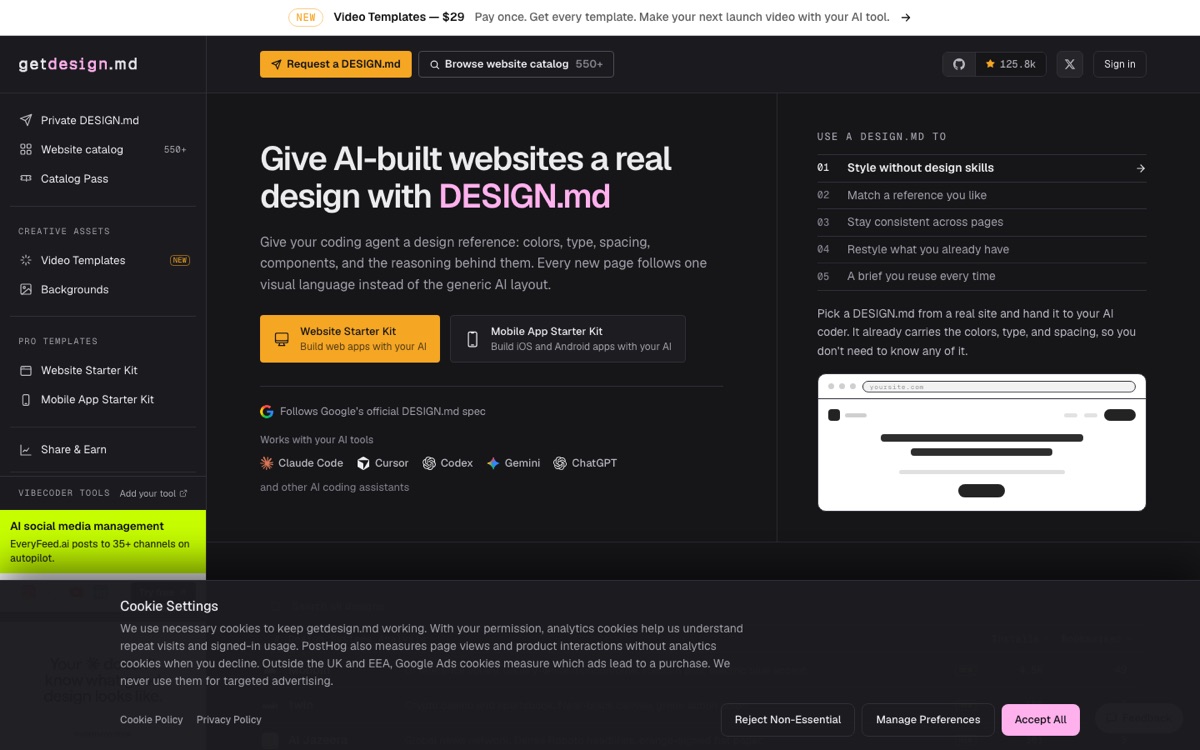
| getdesign.md | 550+ DESIGN.md analyses of real brands (Apple, Linear, Notion, Stripe, Vercel and more) | Catalog browsing plus paid extras |
| awesome-design-md (GitHub) | About 80 files by the same VoltAgent team, each with light and dark preview pages | Free, MIT license |
| Google's design.md repo | The spec, the CLI and examples | Free, Apache 2.0 |
| MotionSites | A small set of brand-inspired DESIGN.md files alongside its animated section prompts | Included with plans |
| Write your own | Your client's real brand | Free |
A note on brand files: a DESIGN.md "inspired by Stripe" is a great way to learn how a strong system is built. For a client site, use it as a starting point and change the colors, type and tone so the result belongs to your client. The awesome-design-md README also notes that the files are extracted from public websites and provided as is.
DESIGN.md and prompt libraries
A DESIGN.md sets the rules for the whole site. A section prompt, such as an animated hero from MotionSites or a component from 21st.dev, describes one piece in detail. They work well together: the prompt gives the structure and motion, and the DESIGN.md makes sure the result uses your colors and fonts. We compare the main libraries in best AI prompt libraries, and you can try free examples in our prompt gallery.
FAQ
What is a DESIGN.md file?
A DESIGN.md file is a plain-text design system that AI coding agents read before building pages. It holds design tokens in YAML at the top, such as colors, typography, spacing and corner radius, followed by markdown sections that explain how and when to use them. It lives in your project root, next to your code.
Who created the DESIGN.md format?
Google Labs created DESIGN.md for its Stitch design tool and published the spec as open source in April 2026 under the Apache 2.0 license. The spec, schema and CLI are still marked alpha, so the format may change. Community collections such as awesome-design-md follow the Stitch format with a few extra sections.
What sections does a DESIGN.md need?
Google's spec lists eight optional sections in a fixed order: Overview, Colors, Typography, Layout, Elevation & Depth, Shapes, Components, and Do's and Don'ts. Above them sits YAML front matter with tokens for colors, typography, rounded corners, spacing and components. You can skip sections, but the ones you include should keep that order.
How is DESIGN.md different from AGENTS.md or CLAUDE.md?
AGENTS.md and CLAUDE.md tell a coding agent how to build the project: commands, code style and rules. DESIGN.md tells the agent how the project should look: colors, type, spacing, components and visual tone. Many projects use both, and AGENTS.md or CLAUDE.md often includes a line asking the agent to follow DESIGN.md.
Where can I download free DESIGN.md files?
The awesome-design-md repository on GitHub has about 80 free DESIGN.md files under the MIT license, each with light and dark preview pages. getdesign.md, run by the same VoltAgent team, lists 550+ analyses of brands like Apple, Linear and Stripe and sells extras. Google's design.md repository also includes examples.
Does DESIGN.md work with Lovable, Bolt and v0?
Yes. DESIGN.md is plain text, so any AI builder can use it. In Claude Code, Cursor or Codex, put the file in the project root and reference it in your prompt. In Lovable, Bolt or v0, paste the content into the first message or the project instructions and refer to it by name afterwards.
Bottom line
DESIGN.md is a simple idea that fixes a real problem: AI agents forget your design between pages. Write the tokens once, add a few lines of intent and a short list of don'ts, lint the file with Google's CLI, and every page the agent builds will look like the same site. Start from a file on getdesign.md or awesome-design-md, then make it yours.