Guide Research
How to Create a Professional Email Address With Your Own Domain
 Anna · Designer & web developerUpdated 2026-11-06 · How we test
Get an email like you@yourbrand.com: Hostinger, Google Workspace, Microsoft 365 and Zoho's free plan compared, plus MX, SPF, DKIM and DMARC in plain English.
A professional email address is one that ends in your own domain, like hello@yourbrand.com, instead of @gmail.com. To get one you need two things: a domain you own and an email provider that hosts mailboxes for it. You connect them by adding a few DNS records at the place where you bought the domain. The whole job takes 20 to 40 minutes.
The cheapest route is the email that comes with your web hosting, or Zoho's free plan. The most familiar route is Google Workspace or Microsoft 365, which cost about $7 per person per month. Below are the four options side by side, then the setup steps, then the DNS records explained without jargon.
I'm Anna, a web designer and developer. This piece is research based on official pricing pages, help docs and independent tests, with figures as of November 2026. Some links here are affiliate links.
The four options compared
| Provider | Price (as of Nov 2026) | Storage per mailbox | Works in Gmail/Outlook apps | Best for |
|---|---|---|---|---|
| Hostinger Business Email | From $0.39/mo per mailbox on 48 months, renews $1.59/mo | 5 GB (Starter) to 50 GB (Premium) | Yes, IMAP | Solo owners on a budget |
| Email included with Hostinger hosting | Free for the first year with hosting plans | Depends on plan | Yes, IMAP | You already host your site there |
| Google Workspace Business Starter | $7/user/mo yearly, $8.40 monthly | 30 GB pooled | Gmail itself | Teams that live in Google Docs and Calendar |
| Microsoft 365 Business Basic | $7/user/mo yearly | 50 GB mailbox + 1 TB OneDrive | Outlook itself | Teams that use Word, Excel, Teams |
| Zoho Mail Forever Free | $0 for up to 5 users | 5 GB | No IMAP/POP, Zoho apps only | Testing, very tight budgets |
Prices are taken from each provider's pricing page. Microsoft raised Business Basic from $6 to $7 in July 2026, and Google shows intro discounts to new customers in some regions. Check the checkout before you pay.
Hostinger Business Email
Hostinger sells email on its own, so you can use it even if your site lives somewhere else. Three plans: Starter at $0.39 per mailbox per month (5 GB), Standard at $0.99 (20 GB) and Premium at $1.99 (50 GB), all on a 48-month prepayment. They renew at $1.59, $2.79 and $3.99. On terms of 12 months or more there's currently a deal where the third mailbox is free.
Every plan includes spam and virus filtering, webmail, forwarding, auto-replies and a catch-all address. You can also connect the mailbox to the Gmail or Apple Mail app on your phone over IMAP.
If you already pay for Hostinger web hosting, check your plan first. The Premium hosting plan includes 2 mailboxes per site free for a year, and the higher plans include more. For one person with one website, that's often enough. See the Hostinger review for what each hosting plan bundles.
The trade-off: you get email and a webmail inbox, without the office suite. No shared docs, no video calls.
Google Workspace
You get Gmail with your domain, plus Drive, Docs, Sheets, Calendar and Meet. Business Starter costs $7 per user per month on a yearly plan or $8.40 month to month, with 30 GB per user. There's a 14-day free trial.
It's the easiest choice if you and your clients already work in Google Docs. Gmail's spam filter is excellent and the mobile app is familiar. The cost adds up: five people on Starter is $420 a year.
Microsoft 365
Business Basic gives you Outlook with your domain, Teams, and the web versions of Word, Excel and PowerPoint. It's $7 per user per month on a yearly commitment, with a 50 GB mailbox and 1 TB of OneDrive. Business Standard ($14) adds the desktop Office apps.
Pick it if your clients send you Excel files all day or your accountant works in Teams. The admin center is more complicated than Google's, which matters if nobody on your team is technical.
Zoho Mail Forever Free
Zoho's free plan covers up to 5 users on one domain, with 5 GB each. The catch is access: no IMAP or POP, so you read mail in Zoho's webmail and Zoho's own mobile app, not in Apple Mail or Outlook. The free plan is also only offered in some data center regions, so you may not see it at sign-up. If you outgrow it, Mail Lite starts at $1 per user per month, billed yearly.
How to set it up, step by step
The flow is the same with every provider. Names of buttons differ.
- Own a domain. If you don't have one yet, buy it from a registrar or get it free for the first year with a hosting plan. Our hosting and domains guide explains the difference.
- Sign up with the email provider and add your domain. The provider will ask you to prove you own it, usually by adding a TXT record.
- Create your mailboxes. Start with one real inbox (anna@) and add aliases like hello@ or info@ that land in the same inbox. Aliases are free on most plans, extra mailboxes are not.
- Add the DNS records the provider shows you: MX, SPF, DKIM and, ideally, DMARC. You add them in the DNS settings at your registrar or host. If your domain and email are both at Hostinger, it usually adds them for you.
- Wait and test. DNS changes take from a few minutes to a few hours. Send a message to a Gmail address and from it, and check that nothing lands in spam.
- Connect your phone and laptop. Use the provider's app, or add the account to your mail app with the IMAP settings from the help page.
If you built your site with Lovable or Bolt and they host it, your email still works this way. Website hosting and email hosting are separate, and they only share the domain. Our guide on putting a Lovable site on your own domain covers the website side.
MX, SPF, DKIM and DMARC in plain English
These are text records in your domain's DNS. Your provider gives you the exact values to copy. You only need to understand what each one does.
| Record | What it does | What happens without it |
|---|---|---|
| MX | Tells the internet which server receives mail for your domain | You can't receive email at all |
| SPF | Lists the servers allowed to send mail as your domain | Your mail looks forged and goes to spam |
| DKIM | Adds a digital signature to every message you send | Receivers can't confirm the message wasn't altered |
| DMARC | Tells receivers what to do if SPF or DKIM fails, and sends you reports | Anyone can spoof your domain with less resistance |
A few practical rules:
- Only one SPF record per domain. If you send from two services (say Hostinger for your inbox and Brevo for newsletters), merge them into one SPF line. Two separate SPF records break both.
- Start DMARC gently. A record with
p=noneonly collects reports. Once everything passes for a few weeks, move top=quarantine. - Gmail, Yahoo and Outlook now check these. Since 2024 and 2025 they require SPF and DKIM from senders, and DMARC from anyone sending in bulk. Without them, even normal replies to clients can end up in spam.
- Delete old MX records from a previous provider. Mixed MX records mean some mail goes to the old inbox.
Free checkers like MXToolbox show whether your records are correct after you save them.
Which option to pick
- Freelancer or small business with one site: the email included with your hosting, or Hostinger Business Email Starter. It's the cheapest way to look professional.
- You need room to grow and AI writing help in the inbox: Hostinger Business Email Standard.
- A team that shares docs and calendars every day: Google Workspace.
- A team tied to Word, Excel or Teams: Microsoft 365.
- Zero budget, up to five people, fine with Zoho's app: Zoho Mail Forever Free.
Your mailbox is for one-to-one email. Newsletters to hundreds of people should go through an email marketing tool, which protects your mailbox's reputation.
Email marketing is a separate tool
A business inbox isn't built for sending a newsletter to your whole list. Sending a hundred messages at once from Gmail or Outlook can hit sending limits or get your domain flagged. Email marketing tools handle sign-up forms, unsubscribe links, templates and delivery.
- Hostinger Reach is Hostinger's email marketing tool, free for up to 100 subscribers for a year on most hosting plans. Handy if your site already lives there.
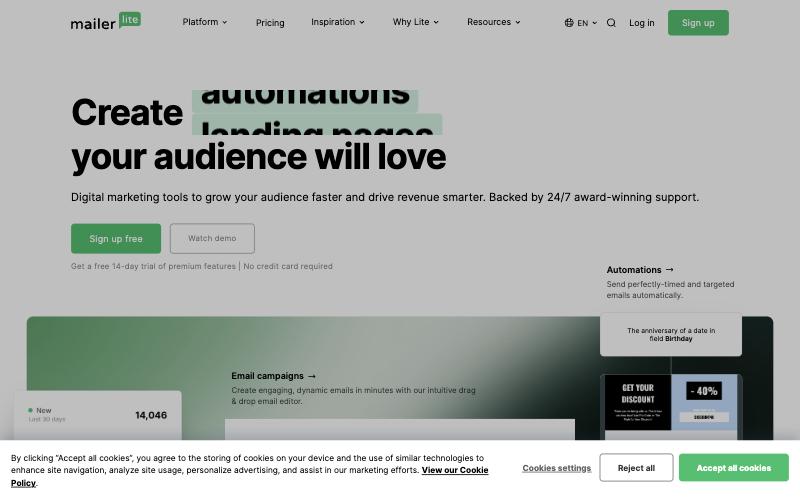
- MailerLite is simple and popular with small businesses. It cut its free plan limits in mid-2026, so check the current cap.
- Brevo has a free plan with 300 emails a day and adds SMS and transactional email.
- Kit (formerly ConvertKit) is built for creators, with a free plan for up to 10,000 subscribers.
Whichever you choose, it will ask you to add its own DKIM record and include it in your SPF. That's the same DNS screen from the steps above.
Common mistakes
- Using the free first-year mailbox and forgetting the renewal. Put the renewal date in your calendar.
- Creating five mailboxes when you need one plus aliases. Aliases cost nothing.
- Letting the domain expire. When the domain lapses, your email stops instantly. Turn on auto-renew.
- Skipping DKIM because mail "seems to arrive". It arrives until it doesn't, usually on the day you send a proposal.
Bottom line
A professional email address costs between $0 and $7 per person per month. If you want the inbox only, Hostinger's email or Zoho's free plan cover it. If you want a full office suite, pay for Google Workspace or Microsoft 365. In every case, set up MX, SPF, DKIM and DMARC on day one and keep newsletters in a separate marketing tool.