Guide Research
Best AI Prompt Libraries for Website Design (2026): MotionSites, Aura, 21st.dev and More
 Anna · Designer & web developerUpdated 2026-11-06 · How we test
MotionSites, Aura, 21st.dev, SaaSFrame, getdesign.md and Relume compared: what each gives your AI builder, prices and which to pick.
The best AI prompt library depends on what your builder is missing. For animated landing pages, MotionSites is the most complete paid option. For single components, 21st.dev is the cheapest and has a free tier. For brand-level consistency, a DESIGN.md file from getdesign.md does more than any single prompt. Aura, SaaSFrame and Relume cover templates, layout references and site structure.
Lovable, Bolt, v0, Cursor and Claude all build what you describe. The trouble is that "a modern hero section" gives everyone the same purple gradient. A prompt library hands the AI a detailed brief: layout, type, colors, motion and edge cases. You pay for the brief, and the AI does the typing.
I'm Anna, a web designer and developer. I pay for MotionSites and use it on client sites I build in code. I haven't used the other libraries here, so for them this is a research piece based on official pricing pages, docs and independent reviews. Figures are as of November 2026, so check the checkout. Some links here are affiliate links.
Quick comparison
| Library | What you get | Free option | Paid from | Best for |
|---|---|---|---|---|
| MotionSites | Animated section and page prompts, Lovable templates, MCP | A few free prompts | $49 prompt pack | Animated landing pages |
| Aura | AI site builder with a large template library | 10 AI messages a month | About $15/mo | Starting from a template |
| 21st.dev | Community React components as prompts, MCP | 2 copies a day | $6/mo billed yearly | Single components |
| SaaSFrame | Screenshots and Figma files of real SaaS pages | Not listed | $15/mo billed yearly | Layout references |
| getdesign.md | DESIGN.md files based on real brands | Free GitHub collection | Paid extras | Consistent look across a site |
| Relume | AI sitemaps, wireframes, component library | Free AI builder | $14/mo | Site structure before design |
Prices from each official site, November 2026.
1. MotionSites: animated sections and full pages
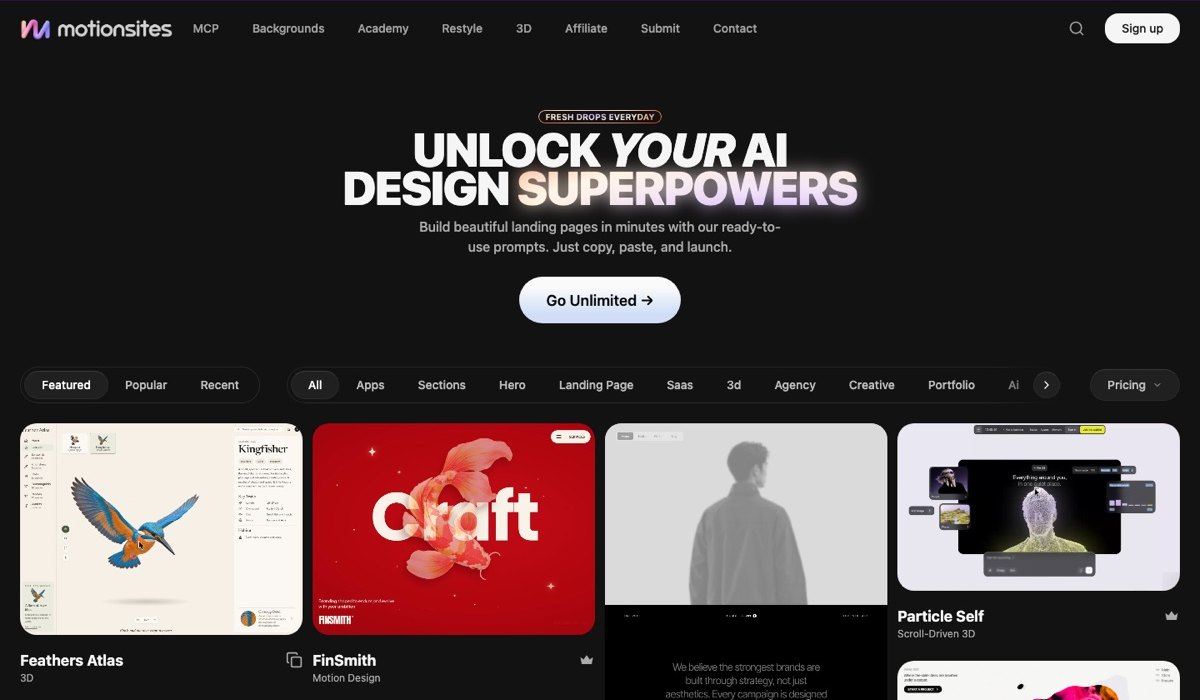
MotionSites sells long, structured prompts for animated website sections and full pages. Each one describes the layout, typography, colors, motion timing and fallbacks in enough detail that the AI has little room to guess. There are versions written for different tools, plus 40+ full-page Lovable templates, animated backgrounds and an MCP server that lets Cursor or Claude Code search the library from inside your project.
Pricing as of November 2026: a $49 prompt pack (2 to 10 prompt downloads, no MCP), $129 every three months with a fair-use limit of 3 prompt copies a day, $279 a year unlimited, or $399 once for lifetime access during the founding sale. All subscriptions cover personal and client work.
This is the one I pay for. I use it through the MCP server in Claude Code, and it saves me the most time on hero sections. The full breakdown is in my MotionSites review, and free options are in MotionSites alternatives.
2. Aura: templates inside an AI builder
Aura (aura.build) is an AI website builder with a big library of templates and components you can start from and then edit by chat. Its pricing page lists more than 1,500 templates, Figma export and commercial use on paid plans. Independent reviews also mention HTML export.
The free plan includes 10 AI messages a month. The paid plan shown on the official page was about $15 a month for 100 messages, but third-party reviews quote different figures, so check the page before you pay.
Aura fits people who prefer to start from a finished layout over writing a brief. It is less useful if you already build in Lovable or Claude and only want the prompt.
3. 21st.dev: components, cheap and community-made
21st.dev is a community library of React and Tailwind components. Each component comes with a prompt you can paste into Lovable, Bolt, v0 or Cursor, or pull straight into your editor through its MCP server.
As of November 2026:
- Free: browse everything, 2 copies a day.
- Builder: $6 a month billed yearly ($8 quarterly), unlimited installs and MCP retrieval.
- Builder + AI: from $15 a month billed yearly for 500 AI credits.
- Team: from $7.50 per seat a month, billed yearly.
Quality varies because anyone can publish. Licensing can also vary per component, so check before using one in client work. For the price, it is the best place to collect individual buttons, cards and hero effects.
4. SaaSFrame: real pages to copy the structure from
SaaSFrame is a reference library of screenshots from real SaaS products. Its site lists 296 landing pages, 211 pricing pages and 191 dashboard screens, plus UI patterns such as modals and inputs. You can download the Figma file of a page, and the site positions it as a source for AI design prompts.
Pro costs $18 billed monthly, $16 a month quarterly, or $15 a month billed yearly ($180). There is a 7-day refund window. The pricing page doesn't describe a free plan.
SaaSFrame doesn't write prompts for you in the same way MotionSites does. Its value is the reference: you show the AI a real pricing page that converts, describe it, and ask for the same structure in your brand.
5. getdesign.md: a design system in one file
getdesign.md collects DESIGN.md files: plain text files that describe a site's colors, type, spacing and components so an AI agent can keep every page consistent. The site lists 550+ analyses of brands such as Apple, Linear, Notion, Stripe and Vercel, and it is run by the VoltAgent team.
The open-source companion repository on GitHub, awesome-design-md, holds about 80 files under the MIT license. The site sells extras, including video templates for $29 once and private DESIGN.md requests, and its page doesn't spell out what is free in the catalog.
This works differently from a section prompt. You drop the file into your project once, and every page the AI builds follows it. If you haven't used one, read what a DESIGN.md file is and how to write one.
6. Relume: structure before style
Relume starts one step earlier. You describe the business, and its AI builds a sitemap and wireframes from a library of components. You can then export to Figma, Webflow or React, or hand the structure to an AI coder.
As of November 2026 the AI site builder has a free plan with limited usage, and Pro starts at $14 a month. The component library is a separate subscription: Starter from $18 a month adds export to Figma, Webflow and React, and Pro from $40 a month unlocks 1,000+ Webflow and React components.
Relume is strongest for agencies that plan many sites and want the client to sign off on a sitemap before any design work starts.
How to pick
| You need | Start with |
|---|---|
| An animated hero or full landing page | MotionSites |
| A few components on a tight budget | 21st.dev free or Builder |
| A starting template you edit by chat | Aura |
| Proof that a layout works in real products | SaaSFrame |
| Every page to look like one brand | getdesign.md |
| A sitemap and wireframes for a client | Relume |
Many designers combine two: a DESIGN.md for the overall look, and section prompts from MotionSites or 21st.dev for the parts that move. You can also browse free examples in our prompt gallery and the full list of prompt libraries.
FAQ
What is the best AI prompt library for website design?
It depends on the job. MotionSites is the most complete paid library for animated landing pages, from $49 as of November 2026. 21st.dev is the cheapest for single components, with a free tier of 2 copies a day. getdesign.md is best for keeping a whole site consistent through a DESIGN.md file.
Are there free AI website prompt libraries?
Yes. 21st.dev lets you browse everything and copy 2 components a day for free. The awesome-design-md repository on GitHub offers about 80 DESIGN.md files under the MIT license. Aura gives 10 AI messages a month free, and Relume's AI site builder has a free plan with limited usage.
How much does MotionSites cost?
As of November 2026, MotionSites offers a $49 prompt pack with 2 to 10 downloads, a $129 three-month plan with 3 prompt copies a day, a $279 yearly plan with unlimited prompts, and a $399 one-time lifetime plan during its founding sale. All subscriptions include the MCP server and client-work rights.
Do these prompt libraries work with Lovable, Bolt and v0?
Yes. Prompts and DESIGN.md files are plain text, so they work in Lovable, Bolt, v0, Cursor and Claude. MotionSites and 21st.dev also offer MCP servers that let Cursor or Claude Code pull prompts directly. Aura is its own builder, and Relume exports to Figma, Webflow and React.
What is the difference between a prompt library and a DESIGN.md?
A prompt library gives the AI a detailed brief for one section or page, such as an animated hero. A DESIGN.md file describes your whole visual system, including colors, type, spacing and components, so every page the AI builds stays consistent. Many designers use both together on one project.
Can I use prompt library output in client work?
Usually, but check each license. MotionSites states that its subscriptions cover personal and client work. Aura lists commercial use on paid plans. On 21st.dev, components are community-made, so the license can differ per component. awesome-design-md files are MIT licensed but describe real brands, so don't copy a brand's identity outright.
Bottom line
A good prompt library saves hours of trial and error with AI builders. Pick by the gap you have: motion and full pages (MotionSites), cheap components (21st.dev), templates (Aura), real-world references (SaaSFrame), brand consistency (getdesign.md) or structure (Relume). Start with a free tier where there is one, and pay once a library saves you more time than it costs.